Pet Memorial Video Ideas: 9 Gentle Ways to Remember Your Dog or Cat

Morphly Team
10/22/2026
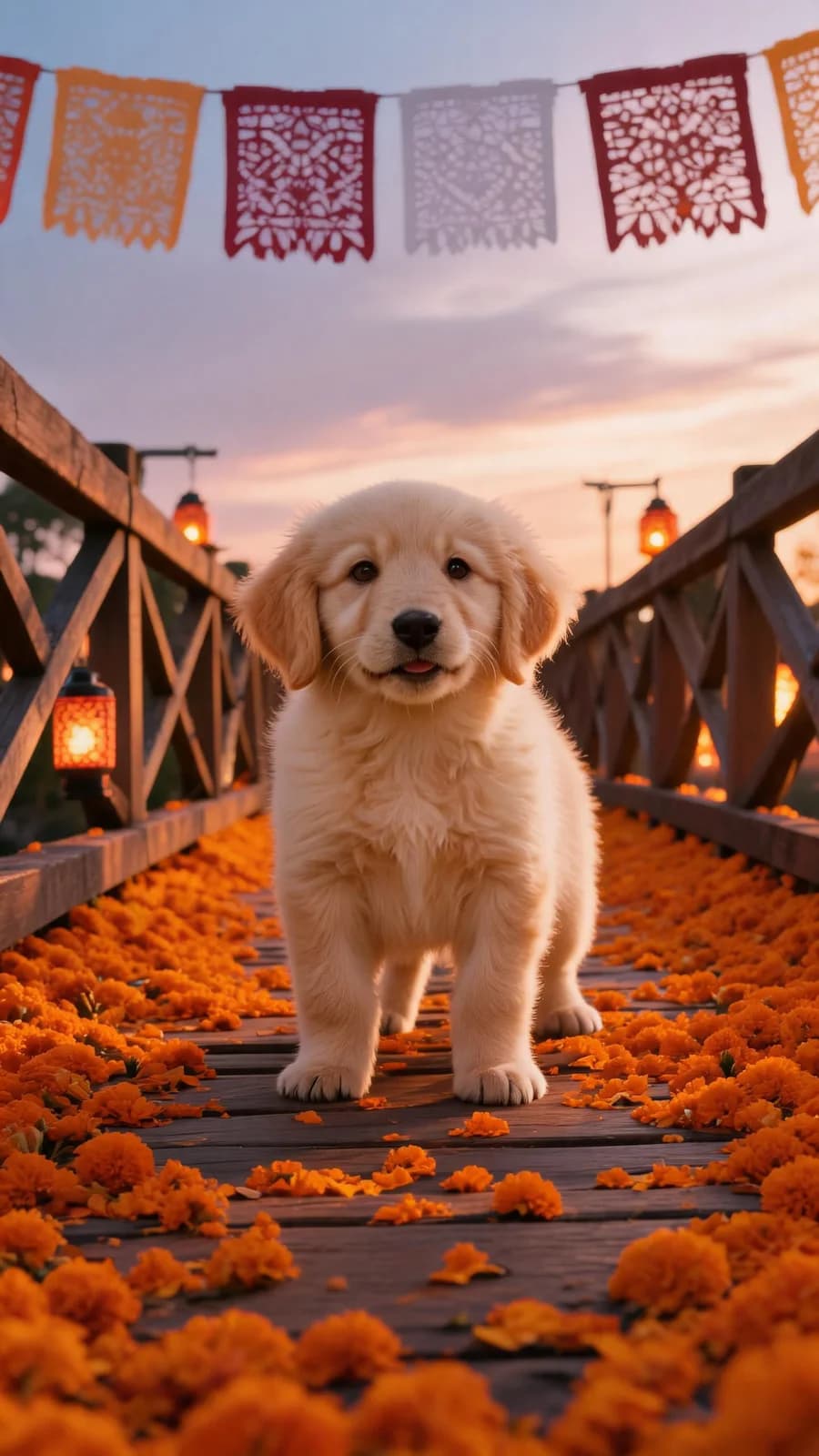
A pet memorial video is a short tribute that keeps your dog or cat close after they're gone. It can be as simple as a photo slideshow with their favorite song, or as polished as an AI-made scene of them walking a marigold bridge at sunset. The right format depends on your time, your skill level, and what feels most like them.
Below are nine gentle ideas, from the fastest to the most personal. Each one can be made in an evening — and several in just a few minutes.
1. An AI memorial scene on a marigold bridge
The fastest modern option is an AI pet memorial video. You upload one clear photo and the tool creates a short scene of your pet in a setting that carries meaning — the classic is a bridge of orange marigolds under a sunset sky, the Día de Muertos symbol of guiding spirits home.
Morphly does exactly this: you review a preview image before paying, and a completed 10-second vertical MP4 costs US$5.99 as a one-time payment with no subscription. If you want a finished, consistent scene from one photo in minutes, start with Morphly's pet memorial video.
2. A photo slideshow set to their favorite song
Collect 10–20 photos from different chapters of their life — puppy or kitten days, middle years, and their comfortable older age. Any phone editor can crossfade them in order, and you set the pacing to the song. Keep clips at 2–3 seconds each so the video stays under a minute.
3. A montage of their favorite places
Film the places they loved, even after they're gone: their sleeping spot, the corner of the park where they always sniffed, the kitchen tile where they waited for treats. Film each place slowly and warmly, and cut between the places with a quiet instrumental. Their absence becomes visible without being heavy-handed.
4. A voiceover letter to them
Write a short letter as if you were talking to them — the morning routines, the nicknames, the one habit nobody else noticed — and record it as a voiceover over slow photos. This is one of the most personal formats, and it doesn't require any editing skill beyond adding photos beneath an audio track.
5. A timeline from their first days to their last
Organize photos chronologically — the day you met them through their final weeks — and let the video simply move forward in time. Add a subtitle with their age or a small caption per chapter. It tells the whole story in one minute, which makes it ideal for a family group chat or a memorial page.
6. A video diary of their little routines
If you have even a few short clips of them doing ordinary things — stretching, waiting by the door, loafing on the couch — stitch them together in that order. There is no better record of who they were than their daily rituals. Add their name and dates at the start.
7. Include them with the family and other pets
A memorial doesn't have to be a solo portrait. Compile clips and photos of them with the people and animals who loved them: kids, partners, and the other pets who shared their home. This is especially comforting for children, who can see the relationship preserved on screen.
8. An animated or illustrated tribute
Use a cartoon or illustration filter on a favorite photo to create a softer, dreamlike version of them, then animate it gently — a slow zoom, drifting petals, a blinking star. Illustrated tributes feel less like a hard goodbye and more like a storybook. AI tools make the illustrated version from one photo in seconds.
9. A Día de Muertos remembrance video
October 27 is the day when many families honor pets who have passed, and Día de Muertos follows on November 1–2. A holiday tribute works beautifully as a vertical video: the marigold bridge scene, their name in elegant type, and a line like "always finds their way home." You can reuse the same MP4 every year.
How to make any of these videos well
Whatever format you choose, a few habits make the difference between a keepsake and a rough edit:
- Choose quality photos over quantity — sharp, well-lit photos hold up better in motion
- Keep it under a minute — the most-shared pet memorials are short
- Set music legally — use the song libraries inside TikTok, Instagram, or CapCut rather than ripping audio
- Export in portrait for Stories and Reels, landscape for YouTube or a family TV
- Add their name and dates at the start or end so the video stands alone as a record
Frequently asked questions
What is the best pet memorial video format? For social sharing, a 30–60 second vertical (portrait) video works best. For a family keepsake, a slightly longer landscape edit is nice on a TV.
Can I make a pet memorial video from one photo? Yes. AI tools like Morphly create a full memorial scene from a single clear photo, including a preview you can review before you pay.
What music can I use in a pet memorial video? Use the licensed song libraries inside TikTok, Instagram, or your editing app. Those libraries handle the rights, which keeps the video shareable.
Is it okay to post a pet memorial video on social media? Yes, and it's common — especially around October 27 and Día de Muertos. Keep the tone warm rather than graphic, and add a line of context so new viewers understand the video.
How long should a pet memorial video be? Aim for 30–60 seconds. Longer edits exist, but the most-watched tributes respect the viewer's attention and leave them with one strong feeling.
What if I want a video but don't want to edit anything myself? Use the AI route: upload a photo, review the preview, and download the finished MP4. No editing timeline required — make a pet memorial video on Morphly in minutes.
Keep their memory close
However you choose to remember them, the video itself matters less than the fact that you made it. Start with the photos you already have, pick the idea that sounds most like your pet, and make it today — it's a small act that keeps them walking with you.