How to Make a Day of the Dead Pet Video: A Gentle Memorial for Your Dog or Cat

Morphly Team
10/21/2026
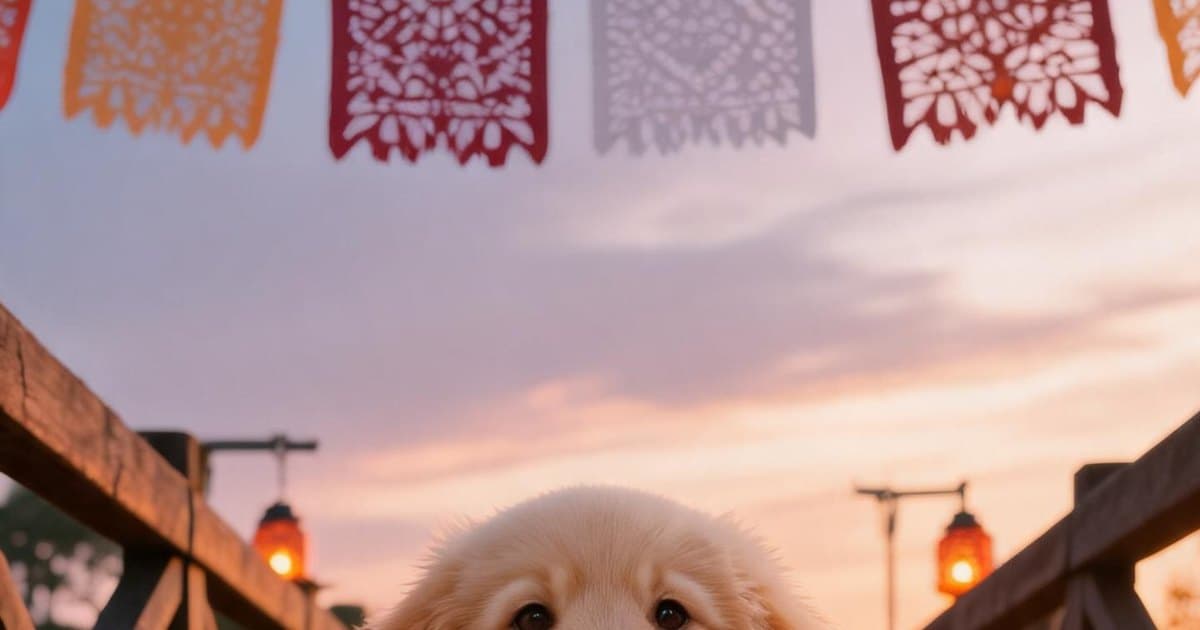
A Day of the Dead pet video is a short, artistic video that reimagines one photo of your dog or cat as a memorial scene — most often a pet walking a bridge of orange marigolds under a sunset sky. It is not real footage and it is not an exact recreation. It is a new scene made from your photo, and it can be ready in minutes.
The easiest way to make one is with an AI generator like [Morphly](/: upload a clear photo, review a preview image first, and download a 10-second MP4 for a single one-time payment. No subscription, no editing skills, no waiting for a film editor. This guide explains how it works, when people make these videos, and how to get the best result from your photo.
What is a Day of the Dead pet video?
A Day of the Dead pet video is a short memorial video created from a photo of a pet that has passed away. The signature scene is your dog or cat crossing a bridge of cempasúchil — the orange marigold flowers of Día de Muertos — often with warm lantern light and papel picado in the background.
The result is an artistic AI interpretation, not a video recording. It works best for one pet per video, with their face and body clearly visible in the original photo, because the AI preserves their markings, ear shape, coat colors, and little expressions as closely as it can.
People make these videos to:
- Remember a pet around the anniversary of their passing
- Honor them during Día de Muertos
- Keep a gentle visual keepsake after a difficult goodbye
- Share a small tribute with family and friends
When do people honor pets on Día de Muertos?
In Mexican tradition, Día de Muertos runs from October 31 through November 2, with each day carrying its own meaning. Many families remember children on November 1 and adults on November 2 — and pets have their own special day on October 27, when the souls of animals are said to return home first.
In recent years, October 27 has grown into a widely shared moment for pet owners to post photos, light small altars (ofrendas) with food and a candle, and create memorial videos. You don't have to wait for the holiday, though. A Day of the Dead pet video works as a personal keepsake any time of year.
Why the marigold bridge?
In Día de Muertos symbolism, the scent and bright color of marigold petals guide spirits back to the world of the living. The bridge in the video is a visual way of saying the same thing: your pet always knows the way home. The image is gentle and uplifting rather than sad — a memory that walks with you.
How to make a Day of the Dead pet video with AI
Morphly is a purpose-built tool for this exact scene. The whole flow takes a few minutes:
- Sign in — you need a free Morphly account to start.
- Upload one clear photo of your pet — JPG, PNG, or WebP, up to 10 MB.
- Review the preview image — Morphly shows you the AI scene before you pay anything, so you can confirm the markings and coloring feel like them.
- Pay once for the video — US$5.99, one payment, no subscription.
- Download the MP4 — 10 seconds, vertical (portrait), 720p, ready to share.
The video has no music added, so you can pair it with the song that fits when you share it on TikTok, Instagram, or WhatsApp.
How to choose the best photo
The photo is the single biggest factor in how much the result feels like your pet:
- Use one pet per video, with their face and body visible
- Prefer sharp, well-lit photos — soft daylight works best
- Avoid heavy filters, sunglasses, or busy backgrounds
- A photo where they're looking at the camera usually gives the most recognizable result
Remember that the output is an artistic interpretation. Animation and pose can vary, and an exact copy is not guaranteed — which is why checking the preview before paying matters.
What if the video isn't right?
If a paid video fails technically, Morphly refunds the payment. If it completes but doesn't feel like your pet, contact hello@morphly.app with the memory ID and the team will review it with you.
Making one without AI
If you prefer a manual route, you can build a similar tribute with any video editor or slideshow app:
- Collect 5–15 photos of your pet across their life
- Add slow crossfades, a warm filter, and a sunset or flower background
- Set the clip to your pet's favorite calm song
- Export at 1080p in portrait orientation for Stories, or landscape for YouTube
This approach gives you full creative control but takes an evening or two of work — and it still requires finding or designing a marigold bridge scene yourself. The AI route gets you a finished, consistent scene from one photo in minutes.
Frequently asked questions
Is a Day of the Dead pet video a real recording of my pet? No. It is a new AI-generated scene made from your photo — an artistic memorial, not footage or an exact recreation.
Does it work for both dogs and cats? Yes. The generator is built for dogs and cats. One clear photo of a single pet with their face and body visible gives the best likeness.
How much does it cost? One video is US$5.99 as a one-time payment. There is no subscription. The preview image is free to review before you buy.
Can I add music? The MP4 downloads without music. You can add a song from the TikTok or Instagram libraries when sharing, subject to each platform's terms.
Is my photo published anywhere? No. Your photo is sent to the AI provider only to create your video, and results are stored in your account. You can request deletion at any time.
When should I make one? October 27 is the traditional day for honoring pets, and Día de Muertos falls on November 1–2. You can create a memory at any time — many people make theirs on the anniversary of a goodbye or whenever the moment feels right.
Start with their photo
If you'd like to make one today, create your pet's Day of the Dead video on Morphly — you'll see the preview image before you decide to buy the video.