AI Portrait Generator: How to Get Studio-Quality Headshots in Under 30 Seconds

Morphly Team
4/12/2026
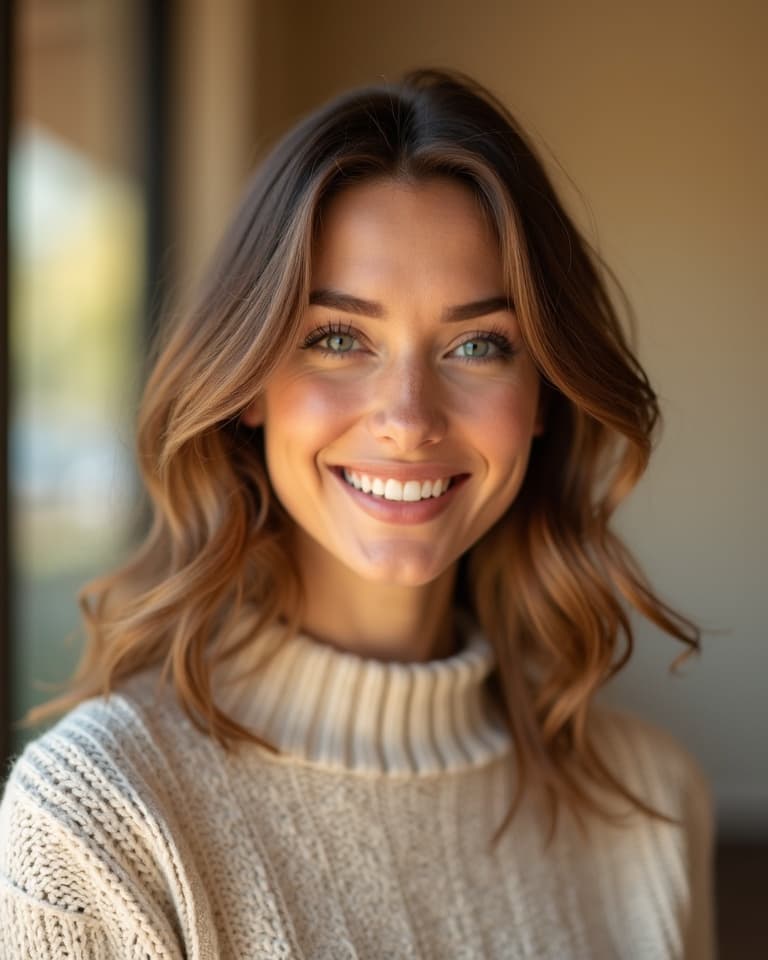
Getting a professional headshot used to mean booking a photographer, renting a studio, and spending hundreds of dollars for a handful of usable shots. Today, AI portrait generators have changed the equation entirely. With Morphly, you upload a few selfies, pick a style, and receive high-resolution AI portraits in under 30 seconds — no camera, no studio, no waiting.
This guide explains exactly what Morphly does, who it's built for, and how to get your first AI portrait for free.
What Is Morphly?
Morphly is an AI photo studio that generates professional portraits, creative headshots, and editorial-style photos from your existing face photos. It combines a personal identity model — called a Person Profile — with a library of 50+ curated style presets to produce results that look like they came from a real studio shoot.
Unlike generic AI image generators that produce fictional faces, Morphly preserves your actual likeness. Upload a few reference photos once, and every portrait Morphly generates will look authentically like you — across completely different scenes, outfits, and lighting setups.
How Morphly Works: 3 Steps
Step 1: Create Your Person Profile
Upload 1–5 clear face photos. Morphly analyzes your facial features and builds a personal identity model it calls a Person Profile. This is a one-time setup — you create it once and reuse it for every generation without re-uploading.
Tips for best results:
- Use well-lit, front-facing photos
- Include photos from a few different angles and expressions
- Avoid sunglasses, heavy filters, or group shots where your face is partially covered
Creating a Person Profile is free and takes about a minute.
Step 2: Choose a Style or Write a Prompt
Browse Morphly's library of 50+ professionally designed style presets — or describe exactly what you want in plain language. The preset library covers:
- Professional headshots — clean backgrounds, studio lighting, LinkedIn-ready
- Cinematic portraits — dramatic lighting, editorial-quality composition
- Outdoor lifestyle — natural settings, golden hour, casual tones
- Creative styles — cyberpunk, oil painting, fashion editorial, and more
- Korean ID photo style — soft-light, clean skin, classic portrait format
If none of the presets fit, write a custom prompt: "wearing a navy suit, softly lit office background, natural confident smile". Morphly's AI will follow your description with high priority.
Step 3: Generate and Download
Click Generate Photo. Within 20–40 seconds, Morphly delivers a high-resolution AI portrait ready to download and use anywhere — LinkedIn profile, email signature, website About page, social media, or print.
Need a variation? Generate again or refine with a follow-up edit prompt.
The Technology Behind the Results
Morphly is powered by Doubao Seedream 5.0, ByteDance's state-of-the-art image generation model. Seedream is specifically optimized for human portrait generation, delivering:
- Accurate face identity preservation — portraits that look unmistakably like you, not a similar-looking stranger
- Photorealistic skin texture and lighting — no uncanny valley or obvious AI artifacts
- Consistent quality — whether you're generating a LinkedIn headshot or a creative editorial shot, the output holds up at full resolution
This matters because most AI image tools use general-purpose models that struggle with consistent face likeness. Morphly's use of Seedream is why the portraits look like professional photos rather than AI illustrations.
Who Uses Morphly
The platform is used across a wide range of professional and creative contexts:
Job seekers and professionals — A polished LinkedIn headshot increases profile views and recruiter responses. Morphly users report generating portfolio-ready headshots in one afternoon without booking a single shoot.
Content creators and influencers — Generate diverse visual content across different looks, settings, and styles without repeat photo sessions. Multiple style variations from a single selfie keep content calendars full.
Teams and companies — Onboard new employees with consistent, matching headshots for the website About page. No more coordinating team photo days.
Actors and talent — Create comp cards and audition materials with different looks and moods — dramatic, commercial, natural — without paying for multiple shoots.
Freelancers and consultants — Maintain a fresh professional image across platforms. Update your headshot seasonally without the overhead.
Students and recent graduates — Get a professional headshot for graduate school applications or first job searches without the $150–$200 photographer fee.
Pricing: Start Free, Scale as Needed
Every Morphly account gets 5 free credits daily — enough to generate 5 portraits per day at no cost, indefinitely.
For higher volume:
| Option | Credits | Price | |--------|---------|-------| | Daily free | 5 credits/day | Free | | Starter pack | 20 credits | $5 | | Standard pack | 100 credits | $12.99 | | Pro pack | 200 credits | $24.99 | | Subscription plans | 50–10,000 credits/month | From pricing page |
Each standard-quality generation costs 1 credit. The Pro 4K engine (2 credits per image) delivers ultra-detailed skin texture, studio-grade lighting, and 4K resolution output for cases where maximum quality matters.
There are no subscriptions required to get started. The free daily credits reset at midnight UTC.
Morphly vs. Traditional Photography
| | Traditional shoot | Morphly AI | |---|---|---| | Time to first result | Days (booking + shoot + editing) | Under 30 seconds | | Cost for 10 headshots | $200–$500+ | 10 credits ($1.30 equivalent) | | Style variety | Limited to booked shoot | 50+ styles, any time | | Iteration | Book another shoot | Generate again instantly | | Face consistency | Yes | Yes, via Person Profile |
Frequently Asked Questions
Does Morphly really look like me? Yes — that's the core design of the Person Profile system. Morphly is specifically built around preserving face identity, which is why it uses Doubao Seedream 5.0 rather than a generic image model. Upload clear reference photos and the likeness accuracy is high.
Is it free to try? Yes. You get 5 free credits every day. Creating your Person Profile is also free. No credit card required to start.
Can I use the photos commercially? Paid plan subscribers receive a commercial usage license. Free tier portraits are for personal use.
How long does generation take? Typically 20–40 seconds per image. The standard queue is fast; Pro 4K generations may take slightly longer due to higher resolution processing.
What languages does Morphly support? The platform is available in English, Japanese, German, Korean, Arabic, and Chinese.
Getting Started
- Go to morphly.app and create a free account
- Upload 1–5 face photos to create your Person Profile
- Browse style presets or write a custom prompt
- Generate your first portrait — it's free
Your first 5 credits are waiting. No photographer required.